
Modern Car Racing 2
Description
Drive your favorite supercars in 2 highly detailed city maps and show how well you can drift and make stunts at insane speed limits in this 3D Car Simulator game. Unlock 8 stunning hypercars and complete your garage with your dream cars. Paint your car body and colorize your wheel smoke with the decent customization system. Show how well you can drift your supercar in DRIFT MODE and make as many points as you can in under 100 seconds. Enjoy your favorite car through 4 awesome camera modes and take cool screenshots through the city. Collect as many checkpoints as you can while exploring the detailed city map in CHECKPOINT mode. Speed up on the slow traffic cars with a cool Nitro system and drive at insane speeds without being chased by the cops. Are you ready to skid those wheels through the city map? Prove yourself with Modern Car Racing 2!

Our Take On The Game!
Modern Car Racing 2 is a pretty good car simulation game with really responsive car physics, so you can make really sharp turns at high speeds. You get to drive the best-looking car Lamborghini Aventador SVJ from the first load of the game. All the other cars also look great driving through the city, however, there is not a lot to do or explore in the city. There are two modes FREE MODE or TRAFFIC MODE which you can select to add traffic to your session. The game also has two other game modes DRIFT and CHECKPOINTS mode that you can complete to make more money in the game.
Speaking of cool car stunt games, here’s our favorite stunt car game Top Speed Racing 3D with an insane car collection, detailed customization and upgrade options, and tons of driving quests for you to complete. There is a high-quality interior view for all the cars and the driving physics of this game are top-notch.
How to play and get started with Modern Car Racing 2?
Controls
-
W, A, S, D/ Arrow Keys: Drive/Steer/Brake
-
F: Nitro
-
G: Slow Motion
Objective
Modern Car Racing 2 is a free-roam car simulation game. There are 4 game modes that you can select and start your session with your personalized settings.
-
FREE MODE: Explore 2 stunning cities without any traffic to dodge or police cars chasing you down and practice your driving skills to be a legendary driver.
-
TRAFFIC MODE: Drive through 2 cool cities with a complex traffic system cross the map and drift through the slow cars and flex your supercar.
-
DRIFT MODE: Make as many drifts/skids across the PORT environment in a specified time limit and get rewarded accordingly.
-
CHECKPOINTS MODE: Collect as many checkpoints as you can and make get paid to collect each checkpoint in the session. There’s no time limit in this game mode, so you can go on for as long as you want. Each checkpoint adds 300 coins to your in-game currency.
NOTE: We highly recommend using the NITRO system as it adds a really fun but difficult layer to the driving experience.
Starting The Game!
-
When you start the game, collect the daily reward by clicking on the ’WIN REWARD’ button at the BOTTOM of your reward. (marked by red arrow)
-
After you’ve collected your reward click on the BACK button located at the TOP RIGHT of the screen. (marked by the blue arrow)

Car Selection
-
Click on the ’GARAGE’ button to access the CAR SELECTION menu. (marked by red arrow)
-
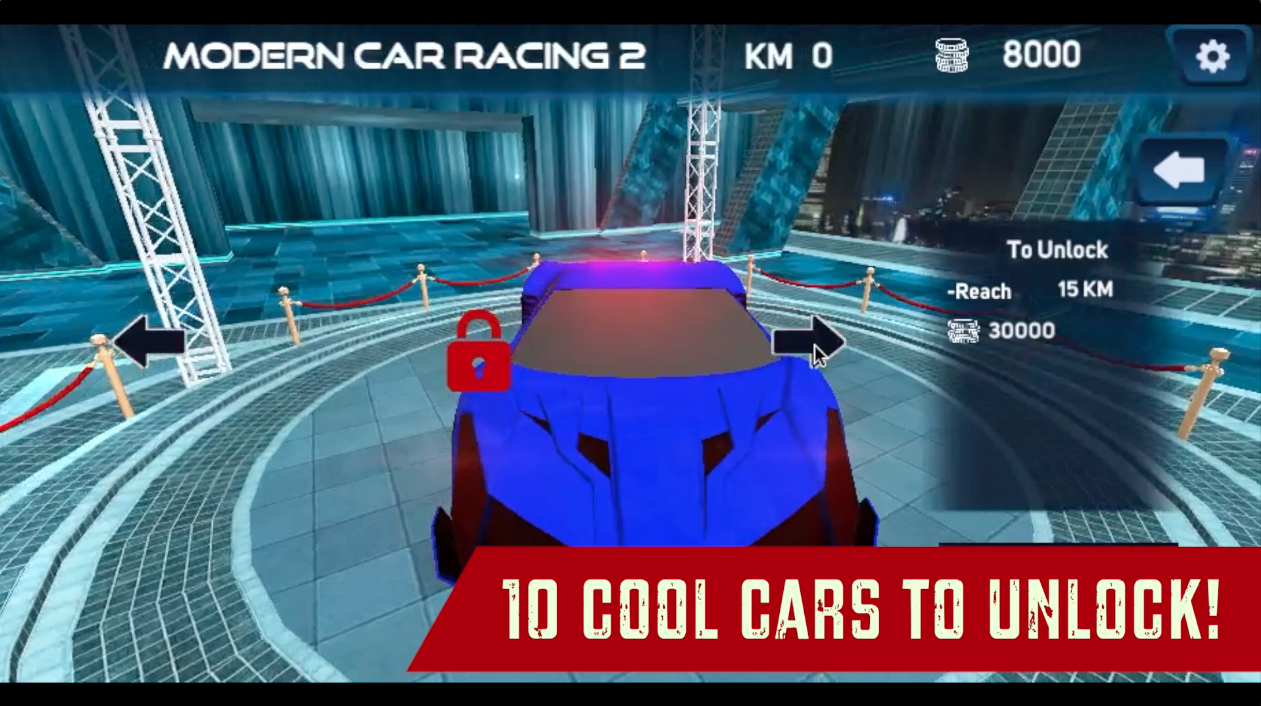
You can browse all the cars by clicking on the BLACK ARROWS located at the RIGHT and LEFT of the CAR. (marked by the blue arrow)
-
To buy the car, click on the ’BUY’ button located at the BOTTOM RIGHT of the screen. (marked by red arrow) You have to reach the in-game distance (in KMs) mentioned for the car to unlock it for buying in the game.
-
The price and unlock distance for the car are mentioned in the blue UI panel at the right of the car. (marked by green arrow)
-
After you’ve decided which car you want to drive in the game, click on the ’SELECT’ button at the BOTTOM RIGHT to confirm your selection. (marked by red arrow)
-
You can apply different colors to your cars by clicking on the various color buttons located at the BOTTOM of the car. (marked by red arrow)
-
You can also click on the CUSTOMIZE button to access the customization system in the game. (marked by the blue arrow)
-
Click on the ’WHEEL SMOKE’ button to select various color options(marked by red arrow)
-
You can apply different colors to your wheel smoke by clicking on the various color buttons located at the BOTTOM of the car. (marked by red arrow)
-
Click on the ’SAVE’ button at the BOTTOM RIGHT of the screen. (marked by the blue arrow)
-
To go back to the Menu screen, click on the ’BACK’ button located at the TOP RIGHT of the screen. (marked by green arrow)
Game Mode Selection
-
Click on the ’GO RACE’ button to access the GAME MODES in the game. (marked by red arrow)
-
Click on any of the GAME MODE buttons to confirm and proceed to city selection. (marked by the blue arrows) Clicking on the DRIFT MODE will directly spawn you to a PORT environment with your selected car.
City Selection
This panel will only show up when you select FREE MODE, TRAFFIC MODE or CHECKPOINTS game mode.
-
Click on any one of the 2 city buttons to start the session with your selected settings. (marked by blue arrows)
Gameplay Navigation
-
You can repair your car by clicking on the REPAIR icon button located at the MID RIGHT of the screen. (marked by red arrow)
-
You can respawn the car by clicking on the RESPAWN icon button located below the REPAIR button. (marked by the blue arrow)
-
In the DRIFT MODE, your current time left is located at the MID CENTER of the screen, and right next to it are your current drift points. (marked by blue arrows)
That’s all there is to it! You’re all set to drive your supercar at insane speed limits.
FAQs
Is there any difference between the cars in terms of driving behaviors?
Yes, all cars have different SPEED, ACCELERATION, BRAKES, and HANDLING values that greatly impact how the car will drive. The more pricey the car is, the better the driving experience of the car.
Which is the fastest car in this game?
The fastest car in this game is the Koenigsegg Agera.
Is there Nitrous in this game?
Yes! This game has nitro available for all the cars.
Which is the best car stunt game on the web?
The best car stunt game is considered to be Madalin Stunt Cars 2 on MotorHeads.com. It has an insane car collection of up to 39 cars and an amazing multiplayer audience for you to play with.
Who made Modern Car Racing 2?
The game is published by CrazyGames. Check out their hit drift game Burnout Drift on MotorHeads.com!
Are there any cheat codes for Modern Car Racing 2?
There are no relevant cheat codes for this game. However, the game does feature a daily reward system with some really cool rewards for you to claim. We recommend completing the CHECKPOINTS mode to make money faster than all other game modes in the game. Each CHECKPOINT offers you 300 coins.
How to save data in this game
The game data is saved in the browser cache. Make sure you don’t delete the browser cache or data. Otherwise, You can lose all the game progress in the process.
Gameplay
Screenshots


Similar/Alternative Games
-
Ado Stunt Cars 3: Cool free roam-based stunt simulator with cool cars and graphics.
-
3D City Racer 2: Similar to this game but with stunt sequences and a bigger collection of cars.
-
Meya Stunt City: Similar Concept but with traffic and mid-air track stunt sequences.