
Super MX - Last Season
Description
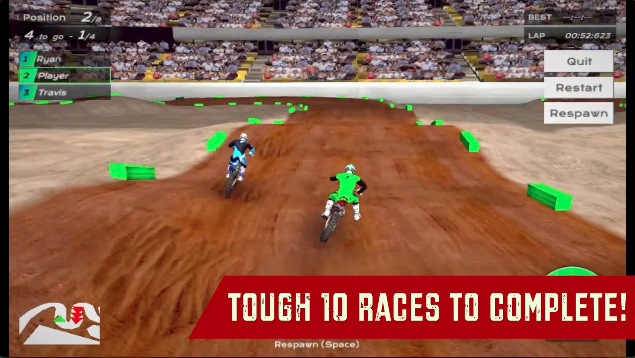
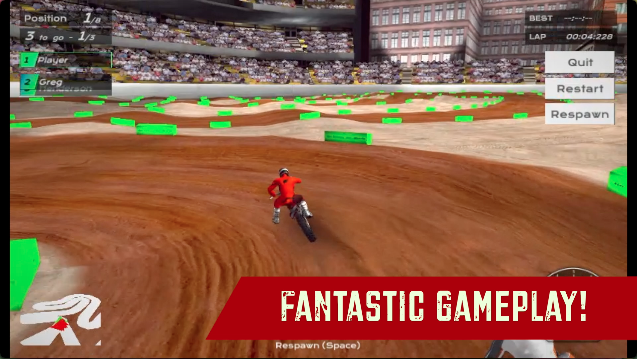
Show your dirt biking skills as you compete in the 10 toughest dirt races across the city in this awesome 3D Dirt Bike Racing game. Throttle those engines and beat the challenging AI opponents in each race. As you win races, you get money and unlockables that you can use to customize your dirt bike and rider suits with a decent collection of custom skins and colors. The races are very fast-paced and you will really have to master the semi-realistic dirt bike physics of this game. Fortunately, the game has 2 awesome free-roam maps that you can ride in and perfect your dirt biking skills while making some Cool stunt combos. This game also supports Xbox Controllers for bike riding. Are you ready to skid through those muddy tracks to get the lead? Prove yourself with Super MX: Last Season!
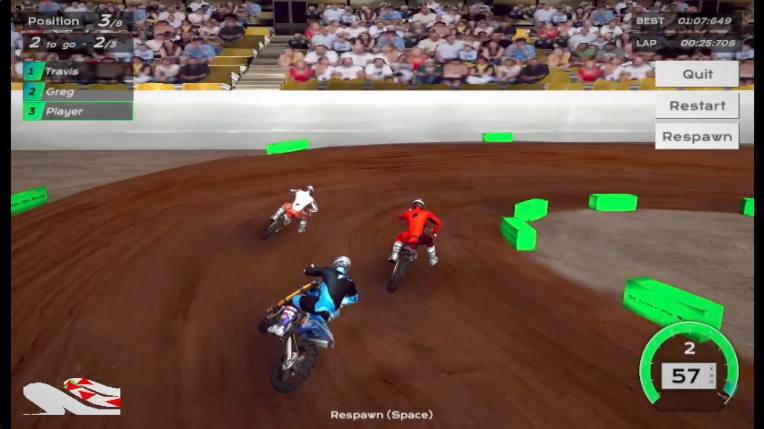
Super MX: Last Season is an awesome racing game with very challenging races and you can’t get your eyes off the screen until the race is over. There is a decent collection of bikes, and character outfits that you can buy. The game has pretty accurate dirt bike physics with cool stunt animations. However, we would recommend slowing down before you make a turn in any race because it is very easy to get off the track and lose the first position.
Speaking of awesome bike games, check out our favorite bike game Xtreme MotorBikes on MotorHeads.com. This game has the best bike physics on the web and you get to complete tons of bike quests and missions across a huge open-world map of a city. The best part of this game is that it has an insane bike collection with detailed customization options.
How to play and get started with Super MX - Last Season?
Controls
W,A,S,D/Arrow Keys: Ride/Steer/Brake Spacebar: Respawn
Objective
Super MX - Last Season is a level-based dirt bike racing game. There are 10 races for you to complete in the game and 2 free-roam maps that you can ride in to perfect your bike riding skills. Here’s what you can expect from the two game modes in the game:
-
RACING: Race through various dirt tracks and dodge your opponents in the dust to claim the title of the best dirt biker. You have to finish in the first 3 positions to unlock the next race. Each race will give you unlockables and money that you can use to buy outfits and other bike skins.
-
FREE ROAM: Practice and perfect your dirt biking skills. Make various stunts across the free-roam map and explore the town. This game mode doesn’t offer any kind of compensation or reward, however, it gives you a perfect playground to master the physics of this game and show it in the races.
Starting The Game!
-
The game has all the navigation buttons located at the BOTTOM CENTER of the screen. (marked by red arrow)
-
All the buttons represent RACING, FREE ROAM, and CUSTOMIZATION.
-
You can click on the ’HOME’ button to get back to the very start of the game only during the menu screen. (marked by the blue arrow)

Racing Level Selection
-
Click on the ’TROPHY’ icon located at the BOTTOM of the screen. Second from the left to access the RACING LEVEL SELECTION menu. (marked by red arrow)
-
The current race has a colorful representation of the track that you can click on to start the race. (marked by red arrow) All the unlocked races will appear as a normal track layout picture.
-
All the locked races are represented as a grayed-out button with a white lock image on top. (marked by the blue arrow)
Free Roam Selection
-
Click on the ’MOUNTAIN’ icon located at the BOTTOM of the screen. Right in the middle of the 5 buttons to access the FREE ROAM MAP SELECTION menu. (marked by red arrow)
-
Click on the button with a picture of the free roam the map to start the free roam racing. (marked by red arrow)
-
The locked free-roam map will unlock as you progress with all the races in the game. (marked by the blue arrow)
That’s all there is to it, you’re all set to skid through those muddy tracks!
How to customize your bike and rider in Super MX: Last Season?
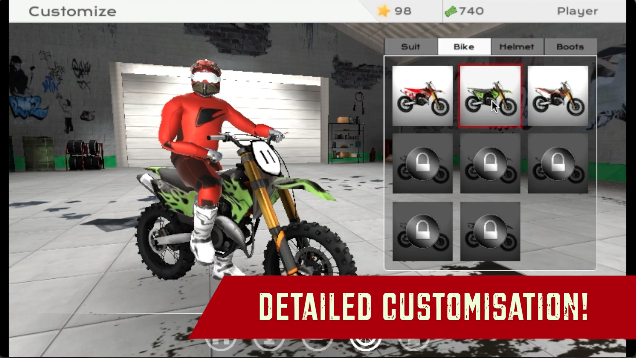
This game offers customization options for both bikes and character outfits(helmets, riding suits, and boots). You can either buy any of the customization options for money or by watching an ad ONLY after the customization option is unlocked from the race rewards. Here’s how you access the customization options in the game:
-
Click on the ’TIRE’ icon located at the BOTTOM of the screen. Second from the right to access the CUSTOMIZATION panel. (marked by red arrow)
Riding Suits
-
Click on the ’SUIT’ tab at the TOP of the customization panel located at the MID RIGHT of the screen. (marked by the blue arrow)
-
You can click on any of the suit image buttons to apply it to your character. (marked by green arrow)
-
You can also click on ’BUY/WATCH AN AD’ to buy the skin off the store and confirm its selection on your character. (marked by red arrow)
Bike Skins
-
Click on the ’BIKE’ tab at the TOP of the customization panel located at the MID RIGHT of the screen. (marked by the blue arrow)
-
You can click on any of the bike skin image buttons to apply it to your bike. (marked by green arrow)
-
You can also click on ’BUY/WATCH AN AD’ to buy the skin off the store and confirm its selection on your bike. (marked by red arrow)
Helmet Skins
-
Click on the ’HELMET’ tab at the TOP of the customization panel located at the MID RIGHT of the screen. (marked by the blue arrow)
-
You can click on any of the HELMET SKINS image buttons to apply it to your character’s helmet. (marked by green arrow)
-
You can also click on ’BUY/WATCH AN AD’ to buy the skin off the store and confirm its selection on your character. (marked by red arrow)
Boot Skins
-
Click on the ’BOOTS’ tab at the TOP of the customization panel located at the MID RIGHT of the screen. (marked by the blue arrow)
-
You can click on any of the BOOTS SKINS image buttons to apply it to your character boots. (marked by green arrow)
-
You can also click on ’BUY/WATCH AN AD’ to buy the skin off the store and confirm its selection on your character. (marked by red arrow)
How to play with a controller in Super MX: Last Season?
You can plug in your Xbox controller to your laptop or PC and start driving. However, only the riding aspect of the bike is supported and you will have to navigate through the menu with your mouse and keyboard. (image below)
-
Use ’Left Joystick’ to steer the bike.
-
Press ’A’ to accelerate the bike.
-
Press ’X’ to apply brakes to the bike.
FAQs
Is there any difference between the bikes in the game?
There is no difference between the bikes in the game. The only difference in the bikes is the custom skins that you can buy in the game. However, this skin change won’t lead to a bike behavior change.
Is there Nitro/Boost in Super Bike The Champion?
No, there is no nitro/boost in the game, however, you won’t feel the need for it when you see how fast the bike rides.
Are there any upgrade options for the bikes?
No, there are no upgrade options for any of the bikes.
Who developed Super Bike The Champion?
Super MX: Last Season is developed by Barnzmu. Check out their hit F1 game Super Star Car on MotorHeads.com!
How to save progress in the game?
The game progress is saved in the browser cache. Make sure you don’t delete the browser cache or data. Otherwise, you could lose out on all the game progress made in the process.
Gameplay
Screenshots


Similar/Alternative Games
-
Super MX The Champion: Similar graphics style and gameplay. Less content of free roam.
-
Fury Bike Rider: Great bike game, has a different graphic style, and a lot of content for bike enthusiasts.
-
Xtreme MotorBikes: The best bike game on the web with an awesome free-roam city map and an insane bike collection for you to unlock.