
GP Moto Racing 3
Description
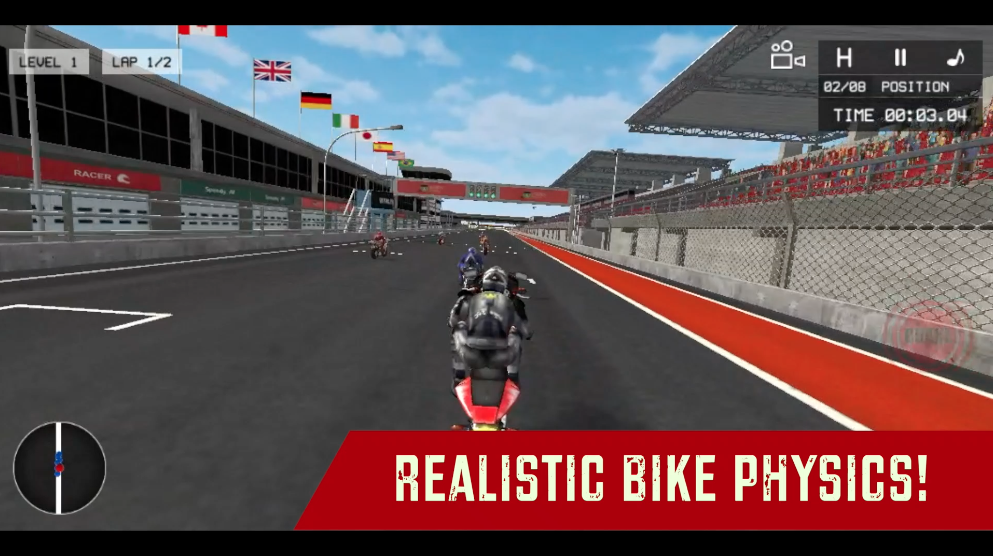
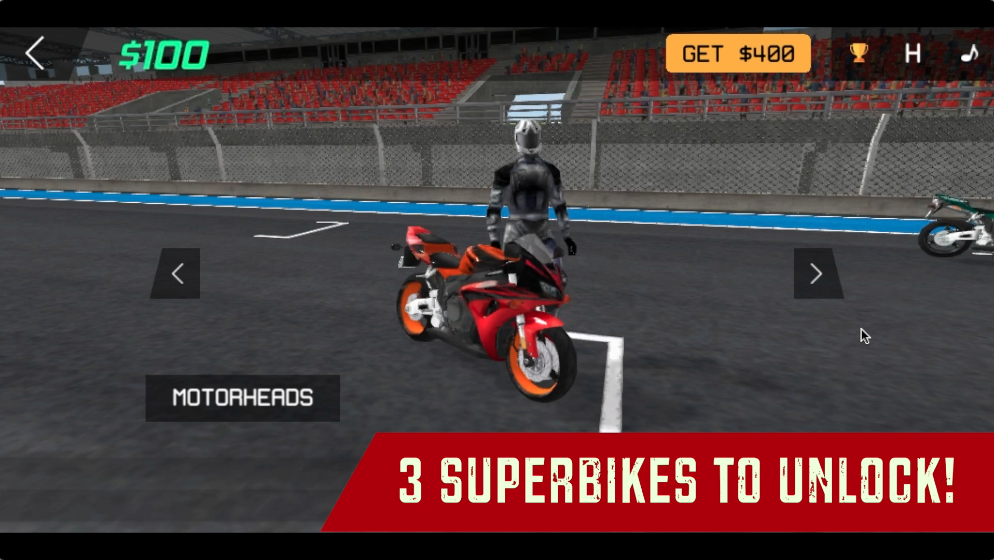
Get ready to show your talent as a pro racer as you compete in 2 challenging racing modes and complete 20 professional races in the league. As you level up, unlock up to 3 superbikes and complete your professional bike collection. Skid those wheels through the twists and turns of the freshly snowed detailed racing tracks and try not to crash into the walls. Prove your bike riding skills as you compete against the toughest AI opponents and take the lead with the realistic bike physics of this game. The opponents will give you a hard time on the road, make sure to use the replenishing Nitro feature in the game to get a speed advantage on your opponents. Are you ready to show your talent as a pro biker? Prove yourself with GP Moto Racing 3!

Our Take On The Game
GP Moto Racing 3 is a great bike racing game, however, it is pretty challenging and competitive. The bike physics are accurate and realistic, however, it will be a challenge to steer the bike on the turns of the track at high speed. There are no customization or upgradation options in this game. If you like places with fresh snow, then you’ll love this game because all the tracks are based in freshly snowed grasslands and the bikes look fantastic riding through the long racing circuit tracks in this game. We recommend you try not to crash into a wall because it will significantly slow you down in the race and might lead you to the last place in a split of second.
Speaking of Bike racing games, check out our favorite bike racing game Super Bike The Champion on MotorHeads.com. Represent a crew and race in professional motorbike racing. There are 12 racing levels for you to complete. There is a cool customization option for the bikes as you represent different bike crews. You can also play with the awesome the first-person POV of the rider and get the best racing experience possible.
How to play and get started with GP Moto Racing 3?
Controls
-
W, A, S, D/Arrow Keys: Accelerate/Steer/Reverse
-
Spacebar: Brakes
-
Left Ctrl: Nitro
Objective
GP Moto Racing is a level-based racing game with up to 10 races in each game mode - TIME ATTACK and RACING. The next race only unlocks when you finish in the first 3 positions in the race.
-
TIME ATTACK: Complete the lap as soon as possible and create your fastest time for each level. Remember every time you go out of the track road you will get a penalty time added to your Total Lap Time.
-
RACING: Compete with tough racing opponents and reach the finish line first. You get 2 laps to chase the first position and defend it.
NOTE: Use NITRO to speed up when you feel the bike is getting slow or if you want an edge over your opponents.
Starting The Game!
-
Click on the ’PLAY’ button in black located at the BOTTOM RIGHT of the screen. (marked by red arrow)

-
Click on the ’NEXT’ button located at the BOTTOM RIGHT of the instructions screen to proceed to bike selection. (marked by red arrow)
-
(ONE TIME ONLY) Type your name on the text field in the MIDDLE of the panel (marked by the red arrow) and click on ’CONFIRM’ at the BOTTOM RIGHT of the text field to proceed to bike selection. (marked by the blue arrow)
Bike Selection
-
You can browse through all the bikes in the game by clicking on the arrows in black located at the RIGHT and LEFT of the screen. (marked by the blue arrow)
-
Click on the ’BUY’ button in yellow located at the BOTTOM RIGHT of the screen to bu the bike. (marked by red arrow)
-
When you’ve chosen a bike for the session, click on the ’NEXT’ button to proceed to MODE SELECTION. (marked by red arrow)
Mode Selection
-
Click on either the TIME ATTACK or RACING mode buttons in the CENTER of the screen. (marked by red arrow)
-
Clicking on either of the buttons will lead to a same-level selection panel.
Level Selection
-
Your current unlocked race will be represented in a red button. All the race information will be present in that red button. (marked by the blue arrow) You can click on it to start the race.
-
All the locked races will have a lock image in a black panel at the LEFT of the button. (marked by red arrow) You can drag the scrollbar located at the TOP RIGHT of the races panel. (marked by the blue arrow)
-
Click on the ’PLAY button to start the race with the selected unlocked race. (marked by green arrow)
That’s all there is to it! You’re all set to prove yourself as a pro racer in the bike racing league.
FAQs
Is there any difference between the bikes?
No, there is no difference between the bikes in this game.
Are there any upgrade options available for the bikes?
No, there are no upgrade options available for the bikes.
Are there any cheat codes for GP Moto Racing 3?
We couldn’t find any relevant cheat codes for GP Moto Racing 3. However, you can watch a rewarded ad to get 400 coins extra in this game and expedite the process of unlocking all the bikes in this game.
Which is the best bike racing game on the web?
The best bike racing game on the web is Super Bike The Champion on MotorHeads.com. There are 12 racing levels for you to complete and you can represent a crew of your choice in the world of professional bike racing.
Who developed GP Moto Racing 3?
This game is developed by VitalityGames. Check out their hit game Cartoon Mini Racing on MotorHeads.com. There are more than 10 cars for you to unlock and awesome AI opponents to beat in 30 races.
How to save game progress in this game?
The game data is saved in the browser cache. Make sure you don’t delete the browser cache or data. Otherwise, you could lose out on all the game progress made in the process.
Gameplay
Screenshots


Similar/Alternative Games
-
Two Bike Stunts: Race and make stunts in this cool bike game. Great graphics and gameplay.
-
Fury Bike Rider: Explore the crazy game modes in this complete motorcycle game. Stunning bikes and physics.
-
Super Bike The Champion: Similar concept but with better physics and gameplay.