
Drift Club
Description
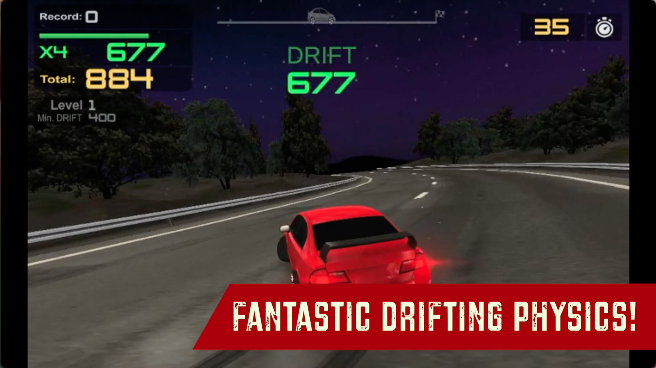
Get behind the wheels of legendary drift cars and skid your way through the finish line. Beat the target drift score of every level and reach the finish line before you get to the end. You get paid, according to your drift score, the more you score the better your reward for the level will be, which you can use to buy 8 stunning drift cars. The drifting physics of this game are quite satisfying and addictive. You can also spend the drift money on customization options like car body color and get new rims. Drift Club only has a single highway map with a starry night. Are you ready to become the best new drift racer in the city? Prove yourself with Drift Club!

Our Take On The Game!
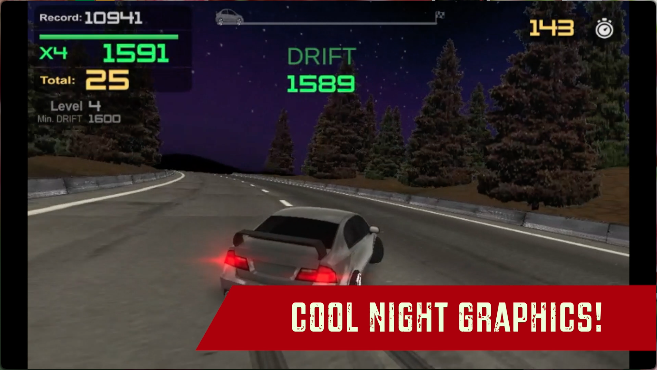
Drift Club is a great game to start learning the art of drifting. The driving physics is easy to learn and master, and all the cars look fantastic through the night time highway, However, the game levels get quite repetitive considering there is no environment other than the city highway to race and drift in the game. Other than that, the customization options are decent for all the cars, if you’re looking for simple but good drifting game, then Drift Club is a good choice.
Talking about great drifting games Drift Hunters offers many different tracks and cars, and the physics are super fun as well.
How to play and get started with Drift Club?
Controls
-
Up Arrow: Accelerate
-
Down Arrow: Brake
-
Left Arrow: Turn Left
-
Right Arrow: Turn Right
-
Handbrake: Space
Objective
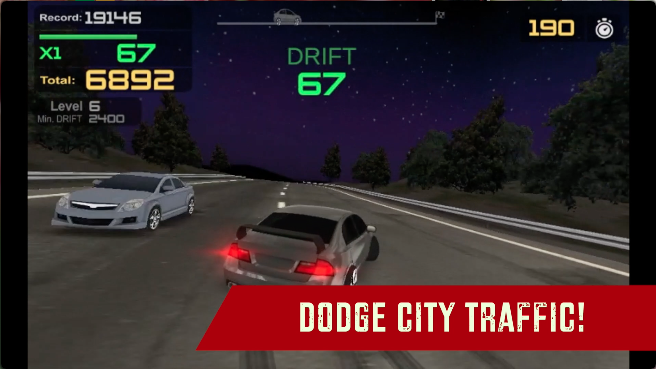
Drift Club is a level-based drifting game, where you have to beat the target drift score of each level by drifting on the highway and reaching the finish line before the timer goes up. Your rewards are dependent on how much your drift score is, and you get an extra drift score if you drift very near to a traffic car. As there is only a single track in the game, the levels are visually the same and only the target score increases with a more lengthy highway road.
Starting The Game!
When you load Drift Club for the first time, you get 2 unlocked cars and 2 tire rims that you can apply to your current cars. Let’s take a look at the game navigation in the game:
-
Click on the ’Play’ button in green at the BOTTOM RIGHT of the screen. (marked by red arrow)
-
Click on the ’Play’ button again at the BOTTOM RIGHT Of the screen to proceed drifting.
-
There’s also a Car Selection at this stage of the game. (discussed below)
Car Selection
-
You can select any of the cars given in the black panel of the game. (marked by red arrow)
-
Click on the specific car you want to select or you want to buy to find out its details. (marked by blue arrow)
-
Click on the ’BUY’ button in green to buy the specific car you want in the game. (marked by red arrow)
How to customize your car in Drift Club?
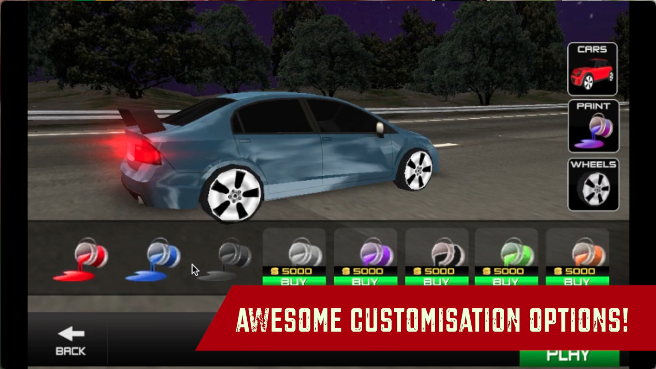
There are 2 ways you can customize your car in Drift Club. You can unlock various car body colors that you apply to your car or get some awesome tire rims for your drift car.
Car Body Color
-
Click on the ’PAINT’ button located at the MID RIGHT of your game screen. (marked by red arrow)
-
You can click on the paint color you want to apply on your car body. (marked by blue arrow)
-
All the locked colors will have a ’BUY’ green button that you can click on to buy that specific color. (marked by red arrow)
Tire Rim Selection
-
Click on the ’WHEELS’ button located at the MID RIGHT of your game screen. (marked by red arrow)
-
You can click on the tire rim you want to apply to your tires (marked by blue arrow)
-
All the locked tire rims will have a ’BUY’ green button that you can click on to buy that specific tire rim. (marked by red arrow)
How to drift in Drift Club?
Drifting in Drift Club is very similar to what we see in Drift Hunters . However, there is no side-rail score in this game, instead, the game offers additional drifting points to the player (+100) when you drive through a traffic car really close or nearly avoid crashing into it. Here are a few of the steps you can follow while making drifts to make longer drifts.
-
Step 1: Initiating The Drift: This step involves gaining enough speed by pressing Up Arrow and then transfer the car weight to the front wheel either via tapping the brakes or downshifting or handbraking. Then you can toss the car Right or Left with the steering.
-
Step 2: Sustaining The Drift: Quick re-apply enough throttle and steering control on the car to stay in a drifting state.
-
Step 3: Switching Drift Direction: This step involves transitioning from one direction to another while being in a drifting state. The car gets really slow if you keep steering in one direction. Trasnfering the weight to the front and re-apply power will allow you to regain speed and change direction.
-
Step 4: Exiting The Drift: This step is essential, bring the steering direction of the car to the middle by applying an applicable amount of counter-steer towards the direction the car is in. This way you will have complete control over the car after it is done drifting.
FAQs
Does applying customization also upgrade the car?
No, customization options are just for visual changes to the car. There is no behavior change in the car when you apply customization.
Who made the Drift Club game?
Drift Club was developed by Mike Games. This is their only game available on the web.
When was Drift Club released?
Drift Club was released in October 2018.
How to save progress in this game?
The game data is saved in the browser cache. Make sure you don’t delete the browsing cache or data of your computer. Otherwise, You can lose all the game progress made in this game.
Are there any cheat codes for Drift Club?
No, there are no cheat codes available for Drift Club.
Gameplay
Screenshots
Similar/Alternative Games
-
Madalin Stunt Cars 3: Awesome stunt game with satisfying drift mechanics.
-
Drift Boss: Simple drifting game with easy controls but hard gameplay.
-
Drift Hunters: The best drifting game on web, awesome drifting physics with a huge car collection.